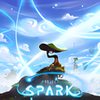
Create and customize your own games with intuitive tools and a vibrant community
Create and customize your own games with intuitive tools and a vibrant community
Vote (22 votes)
Program license Free
Developer Microsoft
Works under Windows
Vote
(22 votes)
Developer
Microsoft
Works under
Windows
Program license
Free
Pros
- User-friendly world-building and scripting tools
- Instant playtesting for rapid iteration
- Extensive community creations and sharing features
- Detailed tutorials and helpful interface
Cons
- Many high-quality assets require microtransactions
- Comic art style may not appeal to everyone
- No support for importing custom assets or music
- Camera controls could be more refined
A vibrant game creation platform for interactive worlds and adventures.
Overview
Project Spark is an ambitious platform developed by Microsoft that empowers anyone to create, play, and share interactive games and digital stories. Rather than being a single game, Project Spark functions as a complete toolkit, offering players the resources to design landscapes, script behaviors, and bring imaginative experiences to life—all without requiring programming expertise. Available for Windows 8 and later, it aims to democratize game development for creative minds of all skill levels.
Features & Game Creation Tools
At the heart of Project Spark is its robust world-building editor. Users can sculpt terrain with intuitive controls—raise mountains, carve out valleys, create rivers, and paint various biomes, from lush forests to icy tundras. A wide selection of textures and prebuilt environmental assets help personalize each world, while tools like automatic foliage planting blend ease and customization.
With its logic-based event system, creators define gameplay using simple “if/then” relationships. For example, assigning “if the player steps on this tile, then spawn a treasure chest” is handled visually, making complex game mechanics accessible. The scripting, known as "Koding," allows layering of rules for characters, objects, and environmental triggers, dramatically expanding creative potential without conventional coding.
A suite of creature and prop assets, all rendered in a cohesive cartoon-like art style, are available to populate your worlds. Players can tweak these creations, from appearance to AI behavior, allowing for tailored enemies, NPCs, or even fully unique player characters. Sound effects, animations, and modular building components further enrich your designs.
Community & Sharing
One of Project Spark’s hallmarks is its interconnected community. With seamless sharing, any game or world can be uploaded for others to experience, remix, or build upon. A built-in browser lets users discover thousands of community creations, from puzzle adventures to music-driven rhythm challenges, offering both inspiration and a collaborative design ecosystem.
User Experience
Guided tutorials introduce the platform’s features, making the initial learning curve manageable even for newcomers. The user interface is colorful and energetic, with drag-and-drop menus and clear tooltips. Tools like “Undo” and brush-based editing lower the barrier to experimentation and correction—paralleling aspects of graphic design software for intuitive mastery.
Testing is instant: users can jump into their creation and play at any moment, making iterative development fast and rewarding. While the overall control scheme is straightforward, some users may find camera navigation with the keyboard a bit rigid, and occasional inconsistencies with mouse selection have been reported.
Monetization & Content Model
Project Spark is free to start, but not all creative assets and props are immediately accessible. A daily allocation of “Spark Time” permits temporary access, while more frequent or unlimited use may require purchases via microtransactions. While plenty can be accomplished with the free toolkit, power users may find themselves nudged toward premium content.
Visuals & Audio
Project Spark maintains a consistent, lighthearted comic visual style throughout every aspect—from world art to UI menus. This aesthetic is friendly and accessible, though options for importing external assets, custom fonts, or unique soundtracks are not provided. The preset music and effects, while cheerful, may limit those seeking highly distinctive or non-cartoon atmospheres.
Technical Requirements
Installation requires a Microsoft account. The software performs well on most modern Windows 8 or 10 systems, though building very complex or large worlds may challenge older machines.
Conclusion
Project Spark offers an impressive bridge between creativity and game development, welcoming users to craft their own interactive experiences without prior programming knowledge. While its aesthetic and content model may constrain some ambitions, and exclusive reliance on its own asset library limits ultimate customization, it remains a powerful tool for storytelling, game design education, and playful experimentation.
Pros
- User-friendly world-building and scripting tools
- Instant playtesting for rapid iteration
- Extensive community creations and sharing features
- Detailed tutorials and helpful interface
Cons
- Many high-quality assets require microtransactions
- Comic art style may not appeal to everyone
- No support for importing custom assets or music
- Camera controls could be more refined